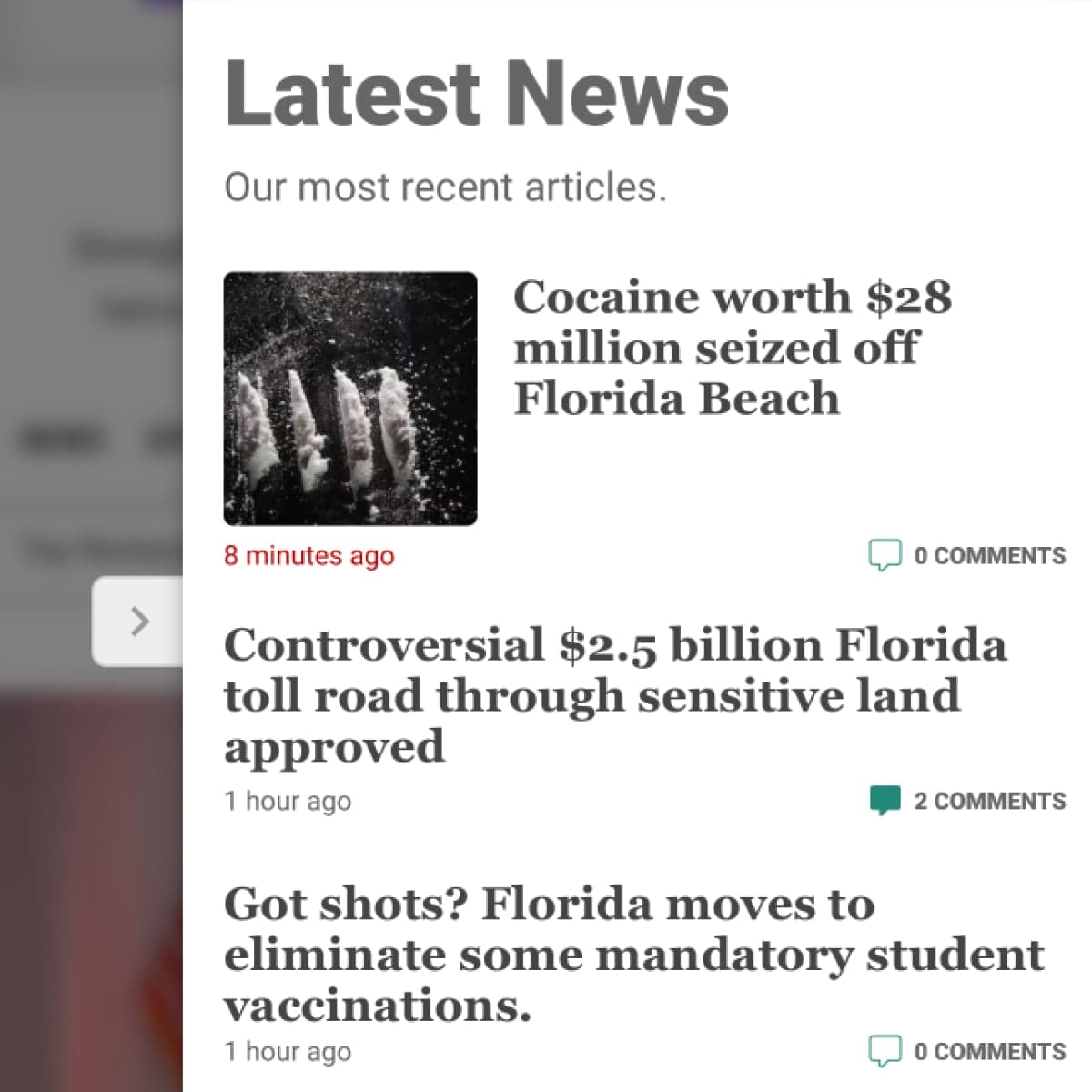
The Mobile Right Rail
Built for the Tampa Bay Times as a solution for the age-old "right rail" problem on mobile devices.
The Tampa Bay Times has used a "right rail" to the right of the primary content for decades. When mobile devices became the dominant method for viewing tampabay.com, the content in the right rail got pushed to the bottom of the page, mostly lost to viewers.
View it live and in action (on a mobile device or emulator) here.
The Problem
As stated above, any content in the right rail was pushed to the bottom of the site. Once the reader finished the primary content on the page, there was no reason to scroll further and all of the right rail content was effectively invisible and lost.
This resulted in lost ad revenue and lowered numbers in site recirculation, which reduced subscription rates.
The Solution
On mobile devices, a sticky navbar of buttons was placed at the bottom of the screen. Each button opens a fly-out panel from the right, populated with content and tools that could be of interest to the reader, along with a small advertisement.
My Role
I came up with the idea independently and presented a white paper to stakeholders. It took two years before the project was intiated, but we got there.
I generated interactive mock-ups of the concept in Figma, showcasing the design and functionality, and explaining the desired impact. These mock-ups went through several rounds of revision and feedback.
Once a final design was approved, I built the design in React and SASS, populating the content with API connections to ARC XP.
The Result
After quality assurance and stakeholder approval, The Mobile Right Rail was launched in late September of 2025. It helped to increase reader recirculation and subscription rates. It also provided additional advertising slots, which resulted in increased ad revenue.